



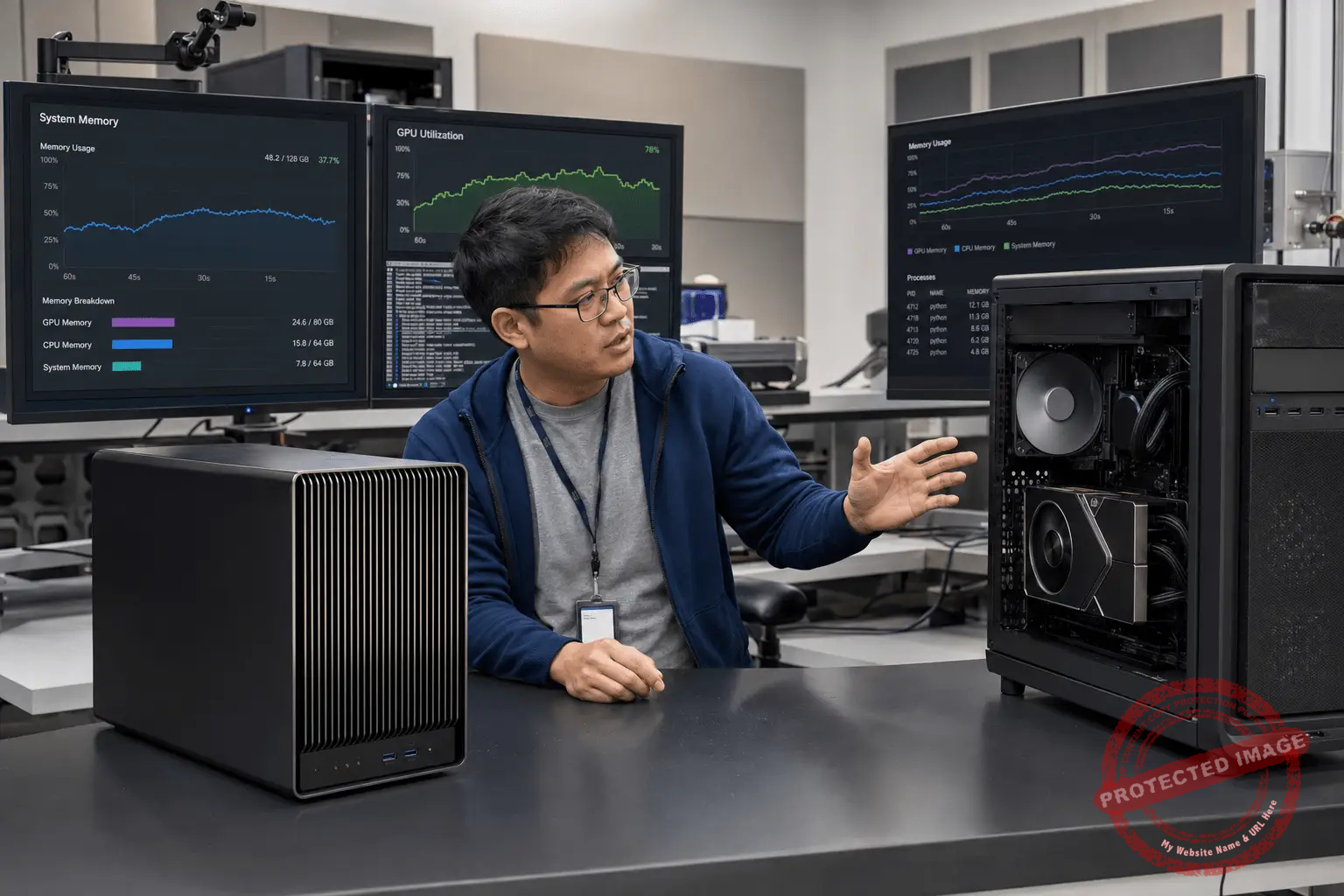
Local AI computing is changing because memory architecture is changing. For years, the easiest rule was simple: if you wanted serious AI performance, you bought the biggest discrete GPU you could afford, with as much dedicated VRAM as possible. That still matters. But systems such as NVIDIA DGX Spark and AMD Ryzen AI Max “Strix Halo” machines are making a different pitch: instead of isolating GPU memory on a graphics card, they let the CPU and GPU share a large unified memory pool.
That shift matters because many local AI bottlenecks are no longer just about raw compute. They are about whether the model fits, how fast data moves, how much power the system consumes, and whether the workstation can run useful models without a rack server or cloud bill.
Why Memory Is Now The Local AI Battleground
Large language models, diffusion models, multimodal pipelines, and agentic workflows all depend heavily on memory capacity. A GPU with exceptional compute may still fail to run a workload if the model weights, KV cache, batch size, or context window exceed available VRAM.
Discrete VRAM, such as GDDR7 on NVIDIA RTX PRO Blackwell workstation GPUs, is designed for very high bandwidth and low-latency GPU access. NVIDIA lists the RTX PRO 6000 Blackwell Workstation Edition with 96GB of GDDR7 ECC memory and a 600W maximum power draw. That kind of card is built for high-throughput professional workloads: AI inference, rendering, simulation, visualization, and GPU-accelerated content creation.
Unified memory systems take a different approach. NVIDIA DGX Spark uses Grace Blackwell architecture with 128GB of unified system memory. AMD’s Ryzen AI Max+ 395 platform supports large LPDDR5x unified memory configurations, with AMD describing up to 128GB unified memory and up to 112GB allocatable by the GPU in certain systems.
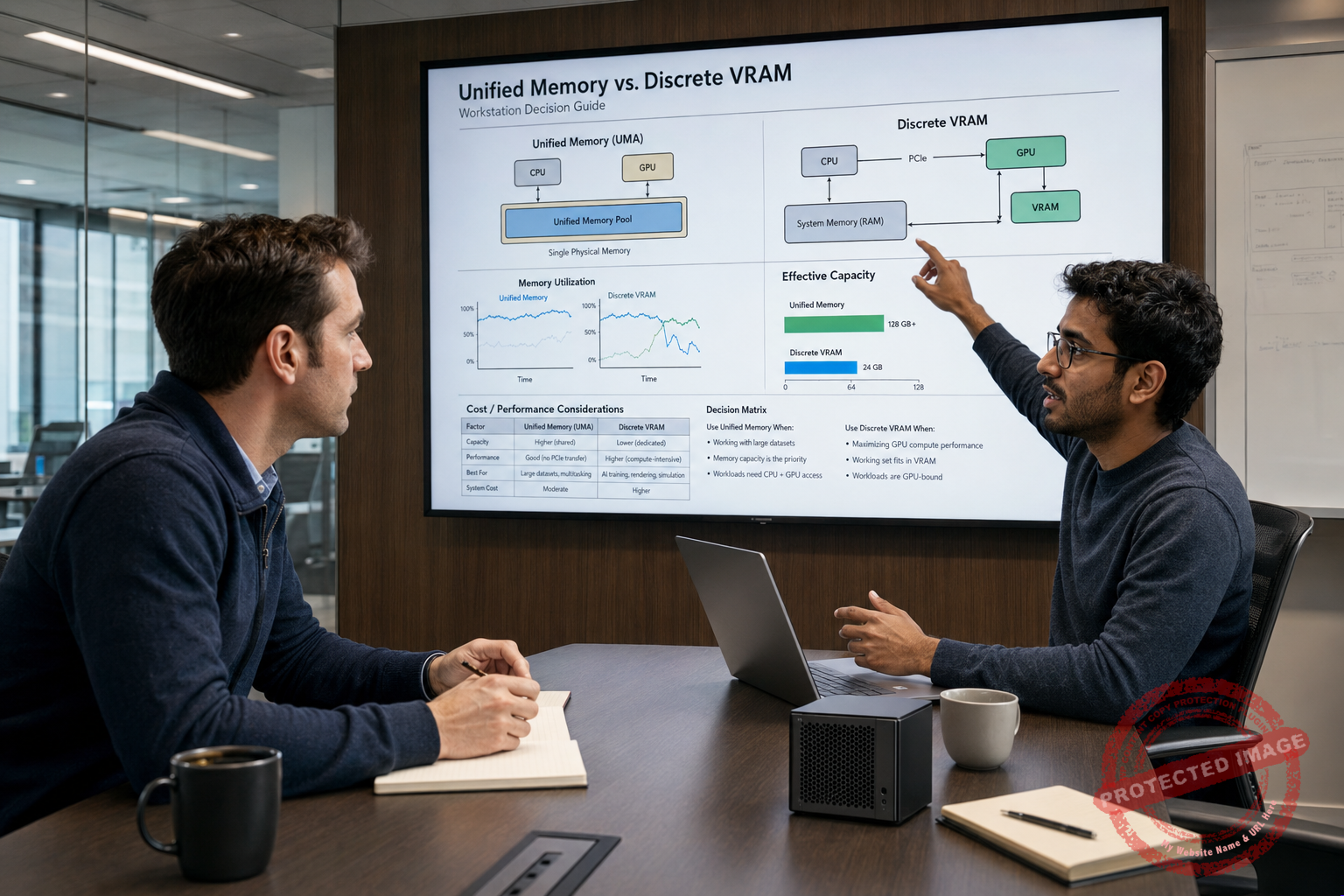
The tradeoff is straightforward: unified memory can make larger models practical on smaller machines, while discrete VRAM usually provides higher GPU memory bandwidth and stronger peak acceleration.
What Unified Memory Actually Means
Unified memory means the CPU and GPU can access a shared memory pool rather than forcing the GPU to rely only on memory soldered to a graphics card. In practical AI terms, this may allow a compact workstation or mini desktop to run models that would not fit inside a conventional 16GB, 24GB, or even 48GB GPU.
That does not magically make unified memory faster than discrete VRAM. Capacity and bandwidth are different things. A 128GB unified memory system may hold a larger quantized model, but a workstation GPU with 96GB of high-bandwidth GDDR7 may process supported workloads faster if the model fits cleanly inside VRAM.
This is where many AI buyers get misled. “Can it run the model?” and “Can it run the model quickly enough for production?” are separate questions.
DGX Spark And The Rise Of Desktop AI Systems
NVIDIA DGX Spark is important because it represents a serious attempt to bring a small, integrated AI system into desktop environments. NVIDIA’s official materials describe DGX Spark as using Grace Blackwell architecture, a 20-core Arm CPU, 128GB unified system memory, Wi-Fi 7, 10GbE, and ConnectX-7 connectivity. NVIDIA also positions it for developing, testing, and fine-tuning large models locally.
For developers, startups, researchers, and IT teams, the appeal is not just performance. It is control. Local experimentation can reduce cloud dependency, keep sensitive data on-premises, and let teams prototype without waiting for shared cluster time.
But DGX Spark should not be confused with a full data center server. It is a desktop-class system with a specific design envelope. Its value depends on whether your workload benefits from a large unified memory pool, NVIDIA software support, and local deployment convenience more than from maximum GPU bandwidth or multi-GPU scale.
AMD Strix Halo And Large Unified Memory For AI PCs
AMD Ryzen AI Max, often discussed under the Strix Halo family, brings another version of the same idea to high-end AI PCs and mobile workstation-class systems. The Ryzen AI Max+ 395 combines Zen 5 CPU cores, integrated RDNA 3.5 graphics, an XDNA 2 NPU, and large unified LPDDR5x memory options.
AMD has specifically promoted the Ryzen AI Max+ 395 for generative AI workloads, including systems with 128GB unified memory and large GPU allocation. That is meaningful for local LLM users because many open models become more practical once memory capacity rises above the limits of mainstream laptop GPUs.
The key caveat is software maturity. NVIDIA’s CUDA ecosystem remains a major advantage for many AI workflows. AMD ROCm support has improved, and some Ryzen AI Max developer platforms advertise ROCm compatibility, but buyers should verify framework, model, driver, and operating system support before assuming parity.

Where Discrete VRAM Still Wins
Discrete GPUs remain the more predictable choice for many professional AI workstations. Dedicated VRAM is optimized for GPU workloads, and high-end cards are supported by mature drivers, frameworks, libraries, and deployment patterns.
For example, a Blackwell-class workstation GPU such as the NVIDIA RTX PRO 6000 Blackwell Workstation Edition gives buyers 96GB of ECC GDDR7 memory in a professional GPU form factor. That is not just a capacity number. ECC memory matters for long-running professional workloads where reliability is important, and the NVIDIA workstation stack is widely supported in rendering, simulation, AI development, and enterprise software.
Discrete GPUs also scale more naturally in tower workstations and servers. If your roadmap includes multiple GPUs, PCIe expansion, high-bandwidth networking, larger storage arrays, or serviceable components, a traditional workstation or server platform may age better than a tightly integrated compact system.
Where Unified Memory Wins
Unified memory systems shine when model size matters more than peak throughput. A developer running quantized LLMs, experimenting with retrieval-augmented generation, testing multimodal agents, or fine-tuning smaller models may value fitting the workload locally over achieving the fastest possible tokens per second.
Unified memory also helps in compact systems where a large discrete GPU would be impractical because of power, thermals, noise, or chassis size. A 128GB unified memory desktop can be easier to place in an office, lab, classroom, or developer workspace than a large tower or rack server.
For AI laptops and compact desktops, unified memory can be the difference between “demo only” and “actually useful.” A mainstream AI PC NPU may accelerate background Windows AI features, but an NPU alone does not replace GPU memory for large local models. Microsoft’s Copilot+ PC guidance centers on NPUs of 40+ TOPS for specific Windows AI features, but that should not be mistaken for a full local LLM workstation requirement.
The Buyer’s Decision: Model Fit, Speed, Or Ecosystem
If your priority is maximum compatibility with today’s AI frameworks, discrete NVIDIA GPUs remain the safest professional choice. CUDA support, workstation drivers, vendor documentation, and broad application certification still matter.
If your priority is running larger models locally in a compact system, unified memory deserves serious attention. DGX Spark and Ryzen AI Max-class systems are not replacements for every GPU workstation, but they are credible new categories for developers and technical teams that need local model capacity without a server room.
If your priority is battery life and everyday AI features, focus on the NPU. For Copilot+ PC-class experiences, the 40+ TOPS NPU requirement is relevant. For large local generative AI models, system memory, GPU capability, software support, and thermal design matter far more.
Practical Recommendations
Choose a discrete VRAM workstation if you run production inference, GPU rendering, simulation, video AI pipelines, or professional applications that already depend on NVIDIA CUDA. A 96GB workstation GPU can be expensive and power-hungry, but it gives predictable acceleration and mature software support.
Choose a unified memory desktop if you want to experiment with large local models, keep data on-premises, or build AI workflows that do not require maximum throughput. DGX Spark is especially interesting for teams already committed to NVIDIA software.
Choose an AMD Ryzen AI Max system if you want a compact Windows or Linux AI PC with unusually large memory for the form factor. Just verify ROCm support and model compatibility for your exact workload.
Avoid buying on TOPS alone. TOPS is useful for narrow comparisons inside a specific precision, workload, and accelerator class. It does not tell you whether a model fits, whether the software stack works, or whether the machine can sustain performance under heat and power limits.
A Takeaway
Unified memory vs. discrete VRAM is not a winner-take-all contest. Discrete VRAM remains the performance and ecosystem leader for many professional AI workloads. Unified memory is becoming the capacity and form-factor disruptor, especially for local LLMs and compact AI systems.
The smartest AI hardware decision starts with the model, not the marketing label. Know the parameter size, quantization level, context length, batch size, software stack, and deployment target. Then choose the memory architecture that lets the workload run reliably, affordably, and fast enough for the job.
Reference Sites:
- NVIDIA DGX Spark official product page: https://www.nvidia.com/en-us/products/workstations/dgx-spark/
- NVIDIA DGX Spark hardware documentation: https://docs.nvidia.com/dgx/dgx-spark/hardware.html
- AMD Ryzen AI Max+ 395 official product page: https://www.amd.com/en/products/processors/laptop/ryzen/ai-300-series/amd-ryzen-ai-max-plus-395.html
- AMD Ryzen AI Max+ 395 generative AI technical article: https://www.amd.com/en/developer/resources/technical-articles/2025/amd-ryzen-ai-max-395–a-leap-forward-in-generative-ai-performanc.html
- NVIDIA RTX PRO 6000 Blackwell Workstation Edition: https://www.nvidia.com/en-us/products/workstations/professional-desktop-gpus/rtx-pro-6000/
Researched and Written by Peter Jonathan Wilcheck
What matters more in your next AI system: fitting larger models locally, or getting the fastest possible performance from dedicated GPU memory?
Please add your personal commentary on how you would use unified memory or discrete VRAM in your own AI workflow.
Post Disclaimer
The information provided in our posts or blogs are for educational and informative purposes only. We do not guarantee the accuracy, completeness or suitability of the information. We do not provide financial or investment advice. Readers should always seek professional advice before making any financial or investment decisions based on the information provided in our content. We will not be held responsible for any losses, damages or consequences that may arise from relying on the information provided in our content.

 AAPL
AAPL AMD
AMD CIS.HA
 DELL
DELL IBM
IBM INTC
INTC MSFT
MSFT GOOG
GOOG HPE
HPE NVDA
NVDA TSLA
TSLA TMC
TMC MSI
MSI NOK
NOK OPEAZZX